

Create a simple feature to move marchers
One of the most common features contributors may want to add is the ability to move marchers to a specific shape.
To make this super easy, we provide a function for updating the coordinates of selected marchers on the selected page, or any page. This means, rather than needing to think about state management or database updates, all you need to worry about is the X and Y coordinates.
Using the update function
This is an example use case for moving the selected marchers to the right by 10 pixels with a button -
import { useUpdateSelectedMarchersOnSelectedPage } from "@/hooks/queries";import { Button } from "@openmarch/ui";
export default function DummyButton() {    // the function used to update the marchers    const { mutate: updateSelectedMarchers } =        useUpdateSelectedMarchersOnSelectedPage();
    // the actual calculation of the new coordinates    const onClick = () => {        updateSelectedMarchers(({ currentCoordinates }) => {            const newCoordinates = currentCoordinates.map((coordinate) => ({                marcher_id: coordinate.marcher_id,                x: coordinate.x + 10,                y: coordinate.y,            }));
            // these coordinates will be sent to the database and the UI state will be updated            return newCoordinates;        });    };
    return <Button onClick={onClick}>Move to the right</Button>;}
This mutation function expects a transformation function as an argument. Put simply - Given the current coordinates of marchers, modify those coordinates and return the result.
Examples
Move to the right
This function, as you saw above, moves the marchers to the right by 10 pixels -
updateSelectedMarchers(({ currentCoordinates }) => { return currentCoordinates.map((coordinate) => ({ marcher_id: coordinate.marcher_id, x: coordinate.x + 10, y: coordinate.y, }));});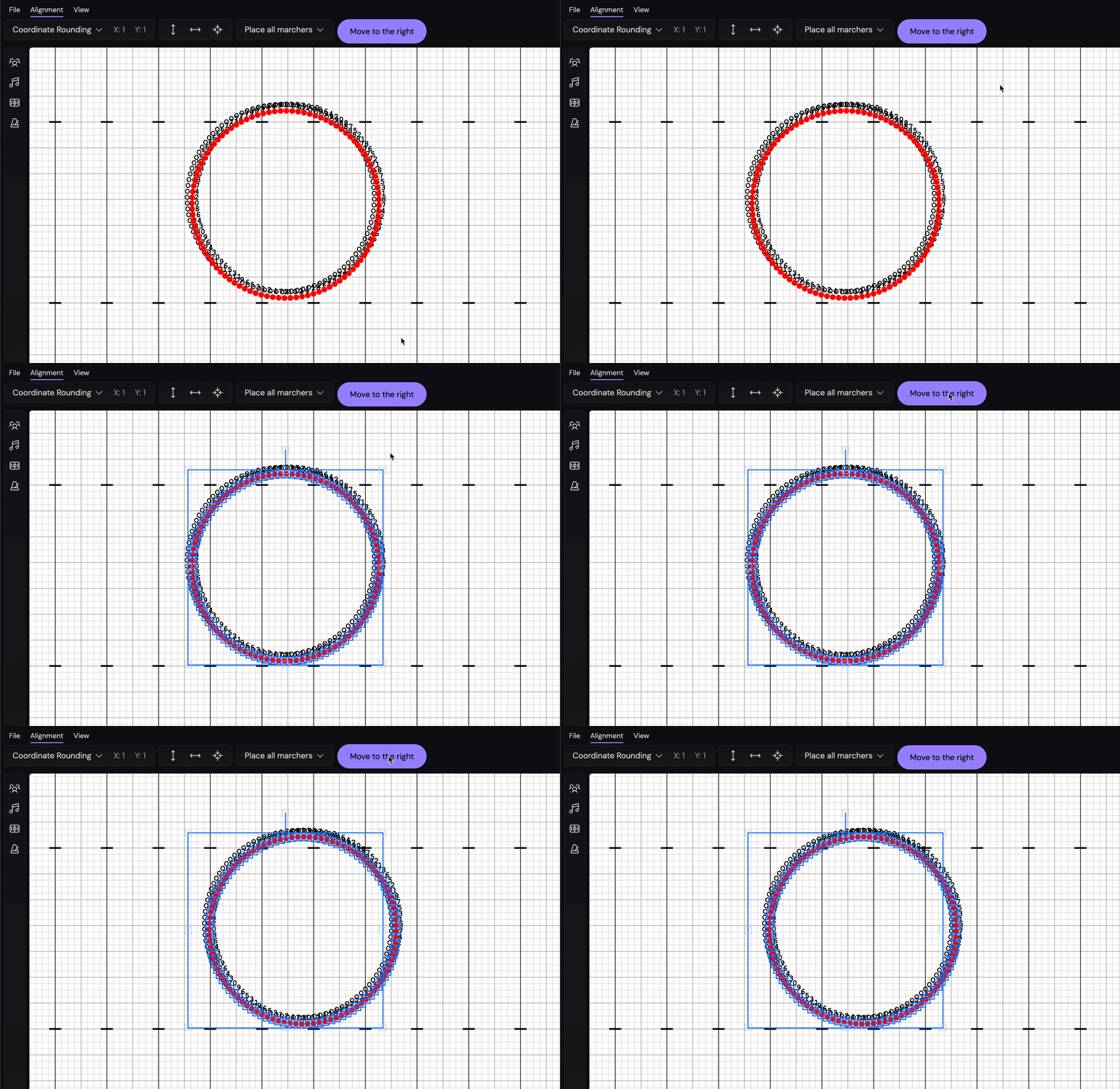
Space out evenly
This function spaces the marchers out vertically by 12.5 pixels -
updateSelectedMarchers(({ currentCoordinates }) => { const topY = 100; return currentCoordinates.map((coordinate, index) => ({ marcher_id: coordinate.marcher_id, x: coordinate.x, y: topY + index * 12.5, }));});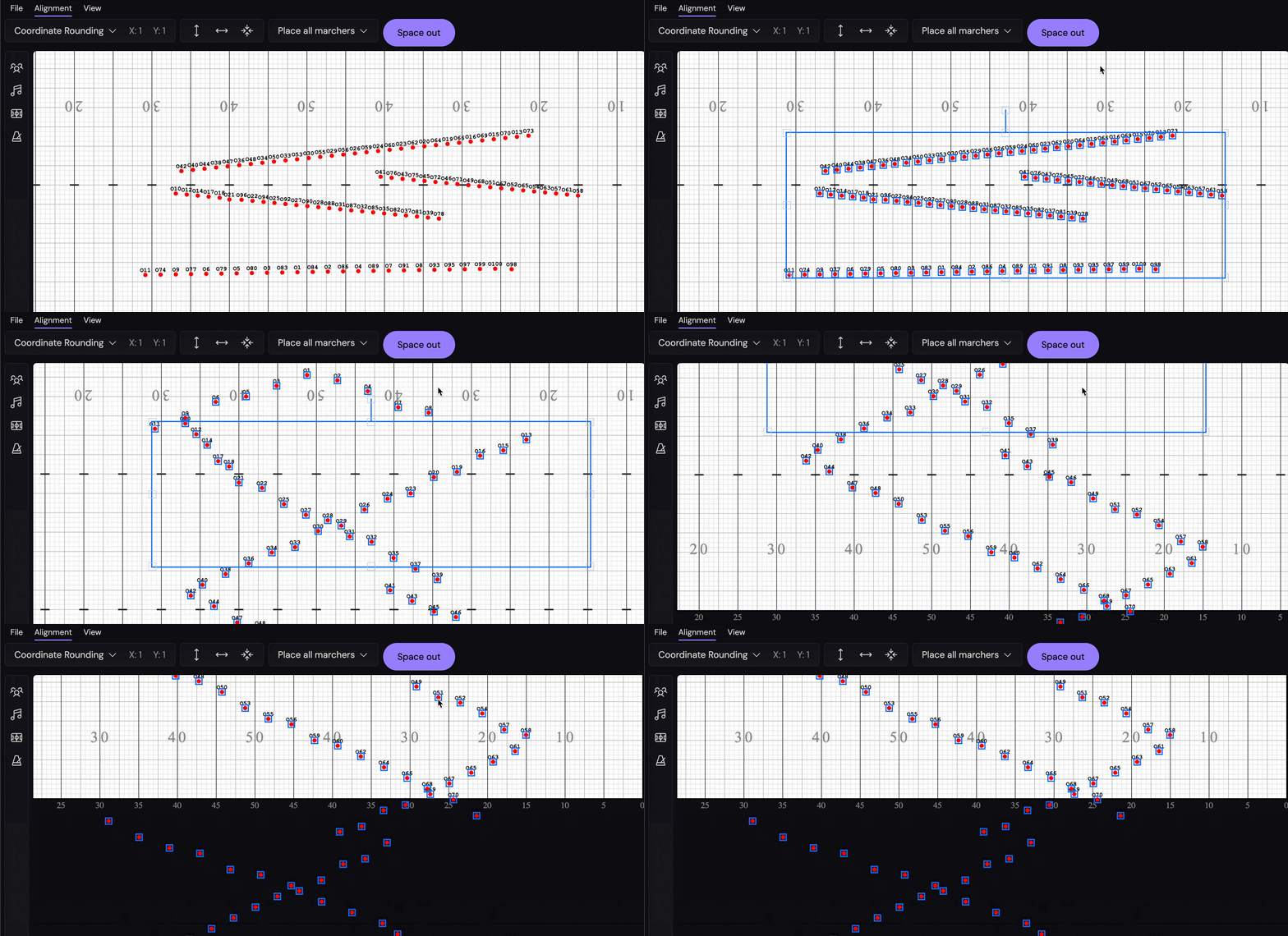
Hmm, this doesn’t look too great. Plus, if we try to animate from the previous position, we see the marchers fold in on themselves -
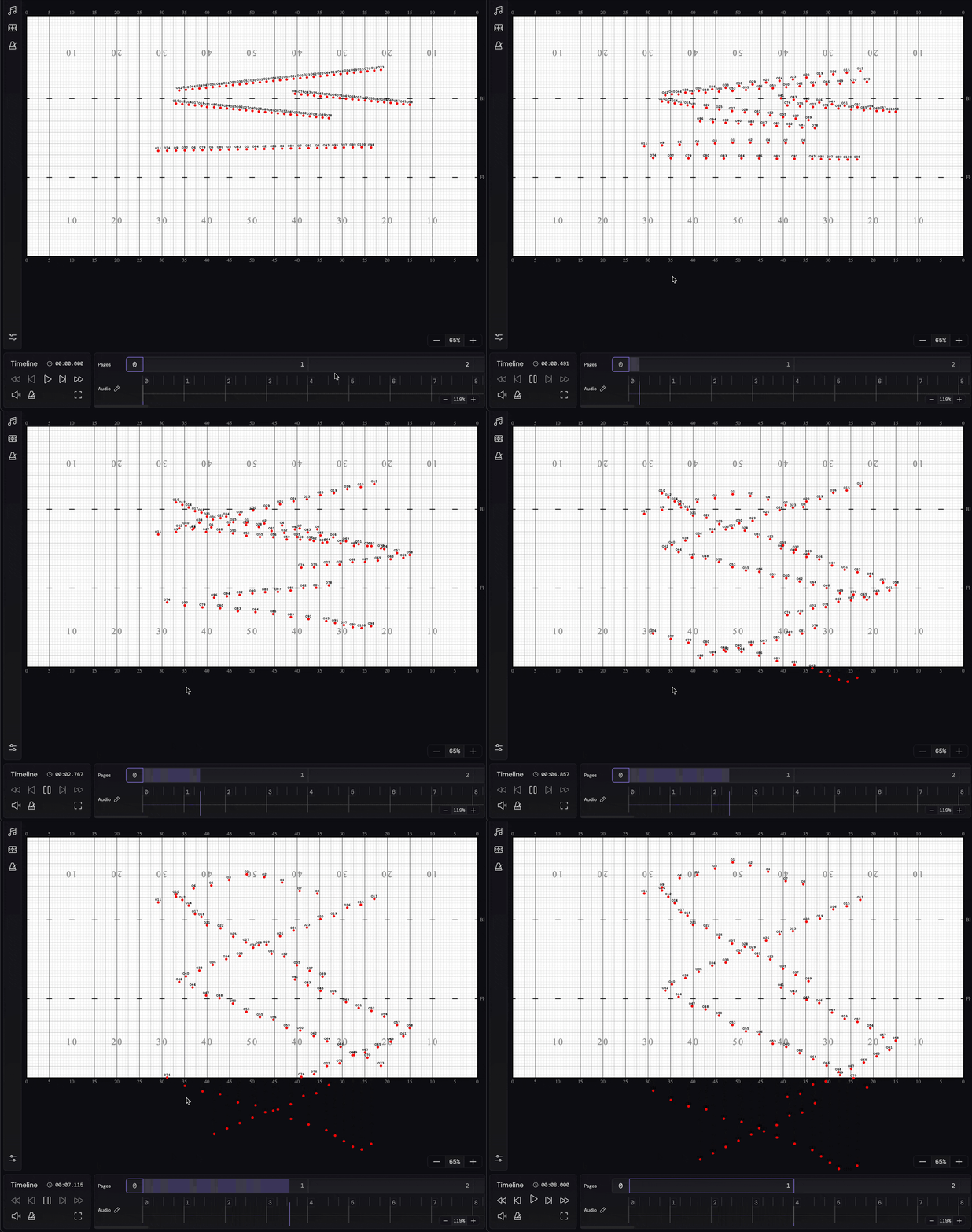
Not very usable at all…
Improving the even spacing
To make this better, we want to sort the coordinates that we are setting based on the marcher’s current position -
updateSelectedMarchers(({ currentCoordinates }) => {  const topY = 100;
  const sortedCoordinates = currentCoordinates.sort((a, b) => {    // If the Y coordinates are the same, sort by X coordinate.    if (a.y === b.y) return a.x - b.x;    // Otherwise, sort by Y coordinate.    return a.y - b.y;  });
  return sortedCoordinates.map((coordinate, i) => ({    marcher_id: coordinate.marcher_id,    x: coordinate.x,    y: topY + i * 12.5,  }));});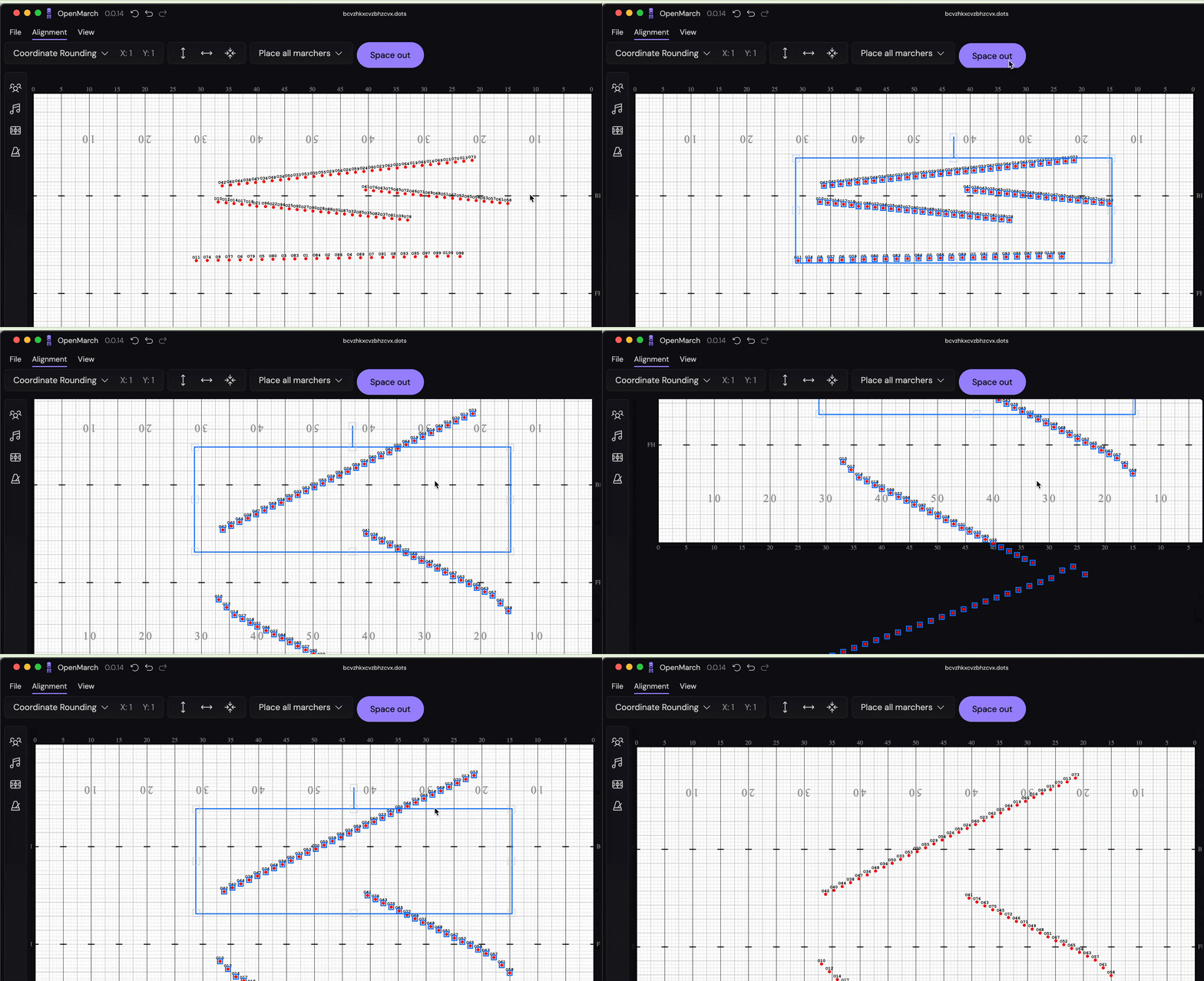
and the animation…
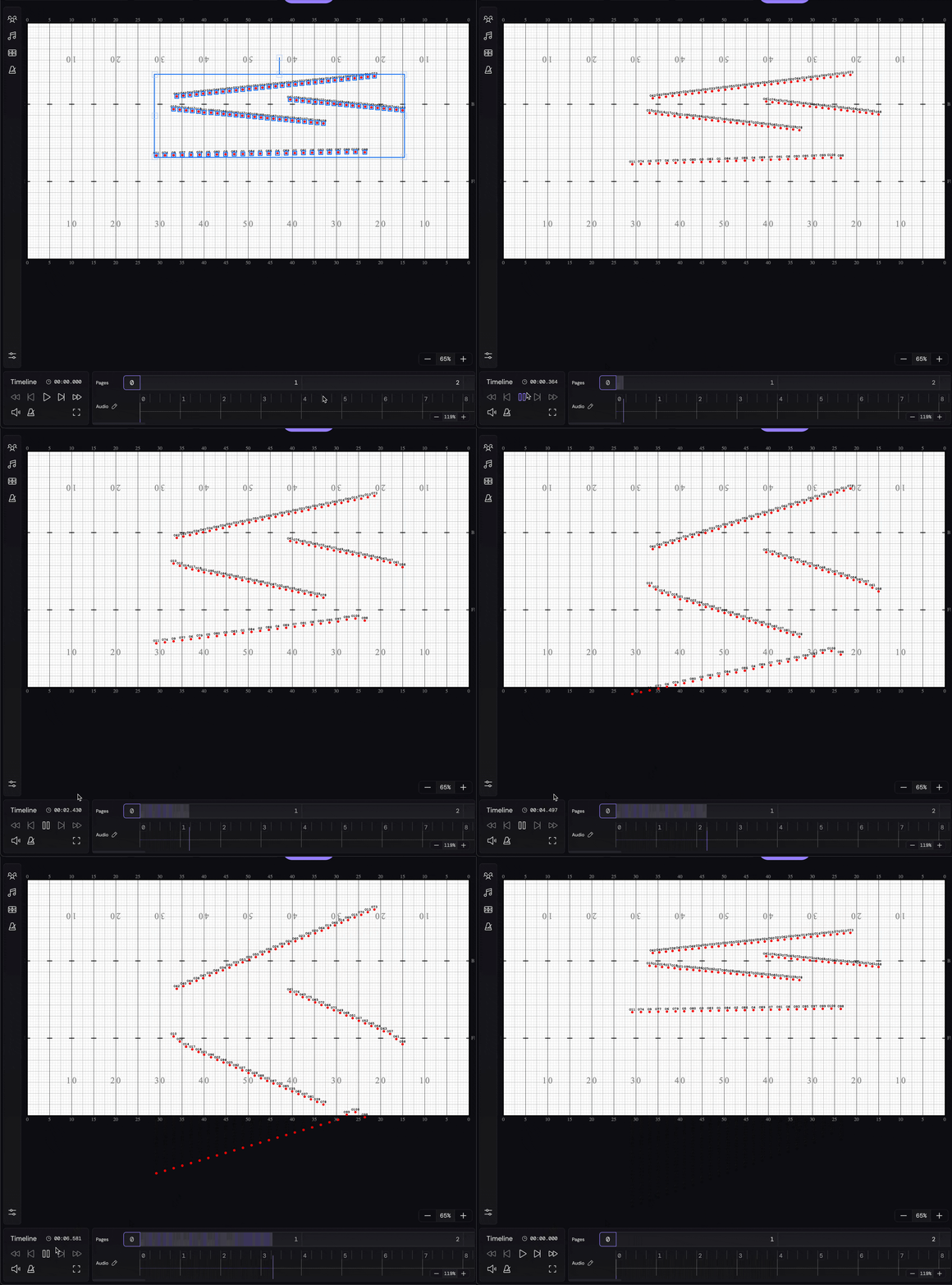
Much better
Combine into a line
Lastly -
- Let’s say we want our marchers to end up in a straight line vertically
- Let’s also say we want them at a 2-step interval (matching the user-defined step-size), rather than just a set number of pixels
- Let’s also also say that we want the top Y-coordinate of the line to be the Y-coordinate of the top-most marcher
This is also very simple to do -
import { useUpdateSelectedMarchersOnSelectedPage } from "@/hooks/queries";import { Button } from "@openmarch/ui";
export default function DummyButton() {    const { mutate: updateSelectedMarchers } =        useUpdateSelectedMarchersOnSelectedPage();
    const onClick = () => {        // Load the field properties so we know how many pixels a "step" is        updateSelectedMarchers(({ currentCoordinates, fieldProperties }) => {            // 2 step interval            const spacing = fieldProperties.pixelsPerStep * 2;
            // Find the lowest Y coordinate            const topY = Math.min(                ...currentCoordinates.map((coordinate) => coordinate.y),            );            // Average the X coordinates of the selected marchers            const averageXCoordinate =                currentCoordinates.reduce(                    (sum, coordinate) => sum + coordinate.x,                    0,                ) / currentCoordinates.length;
            const sortedCoordinates = currentCoordinates.sort((a, b) => {                if (a.y === b.y) return a.x - b.x;                return a.y - b.y;            });
            return sortedCoordinates.map((coordinate, i) => ({                ...coordinate,                x: averageXCoordinate,                y: topY + i * spacing,            }));        });    };
    return <Button onClick={onClick}>Space out</Button>;}
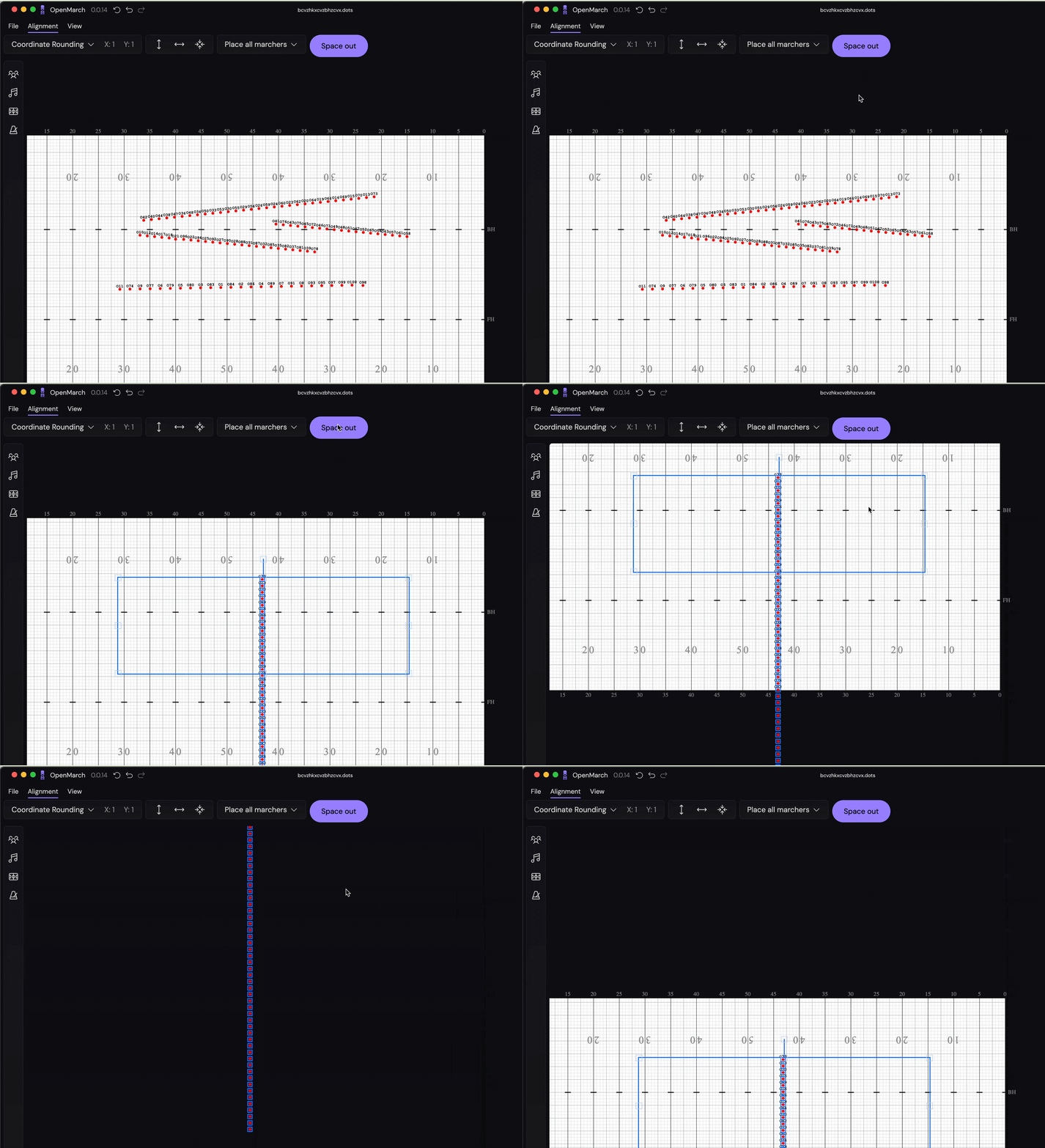
Here’s what that looks like -
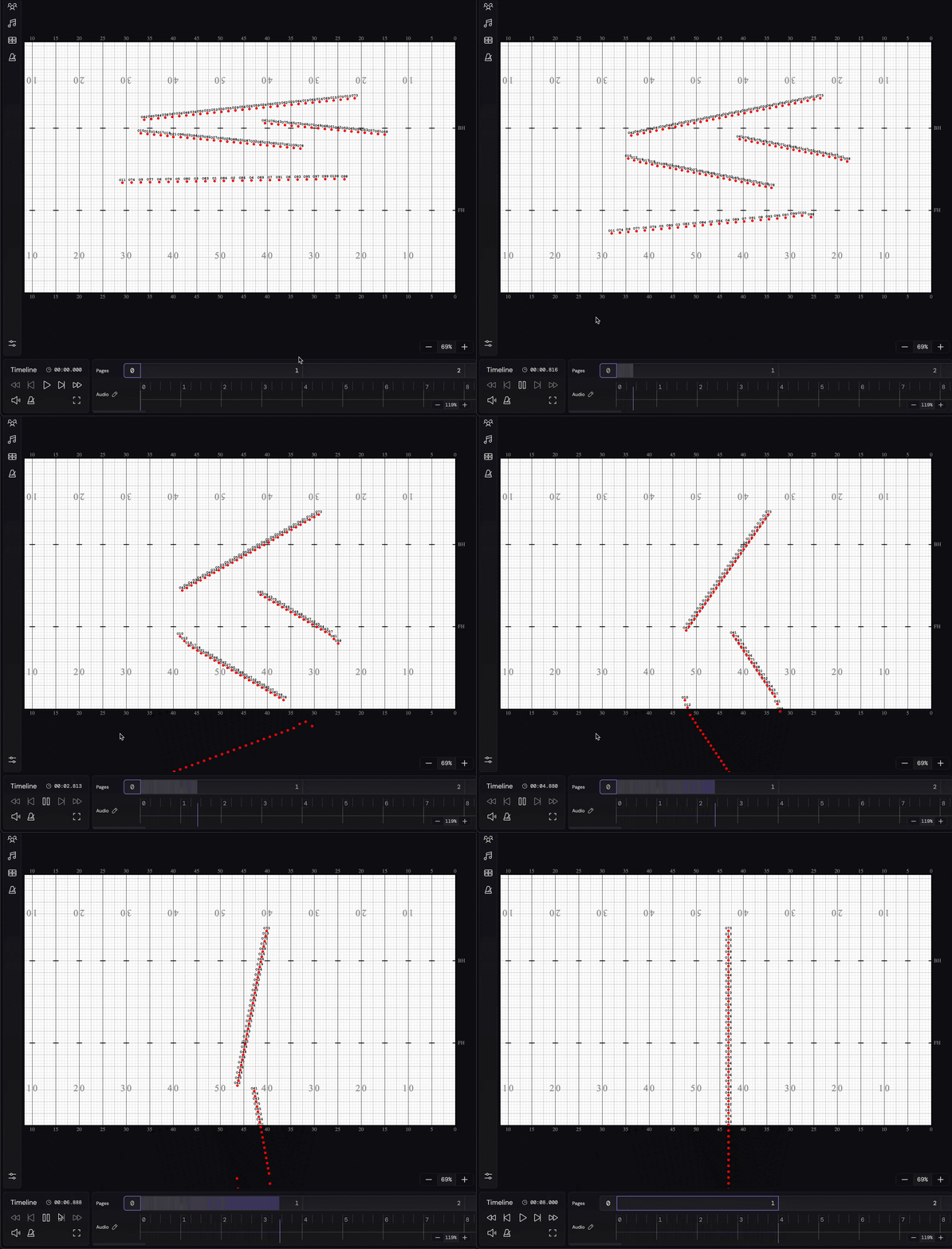
And the animation is also pretty nice -
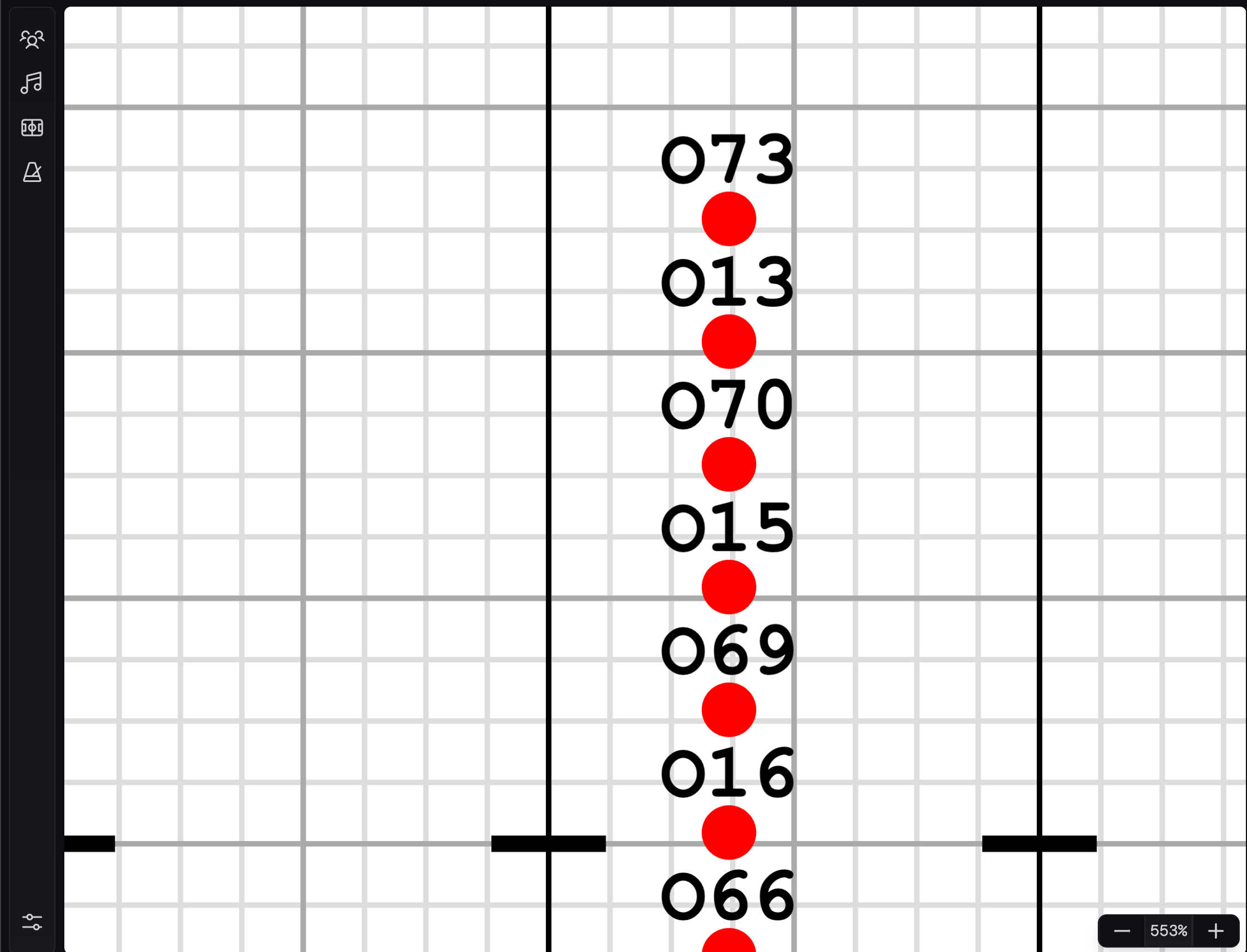
We can also see that the marchers end up at a 2-step interval! Granted, they aren’t rounded to the nearest step, but they are 2-steps apart for sure -
Your turn
With this, it should be much easier to add your own forms to OpenMarch. Put letters, your school logo, or even some crazy 3D cube! We’re still in the process of figuring out where all of these buttons should go, but don’t let that stop you.
Reach out on Discord if you need any help or have any questions.