

Exporting Charts
Export coordinate sheets and drill charts from the File menu by clicking Export.
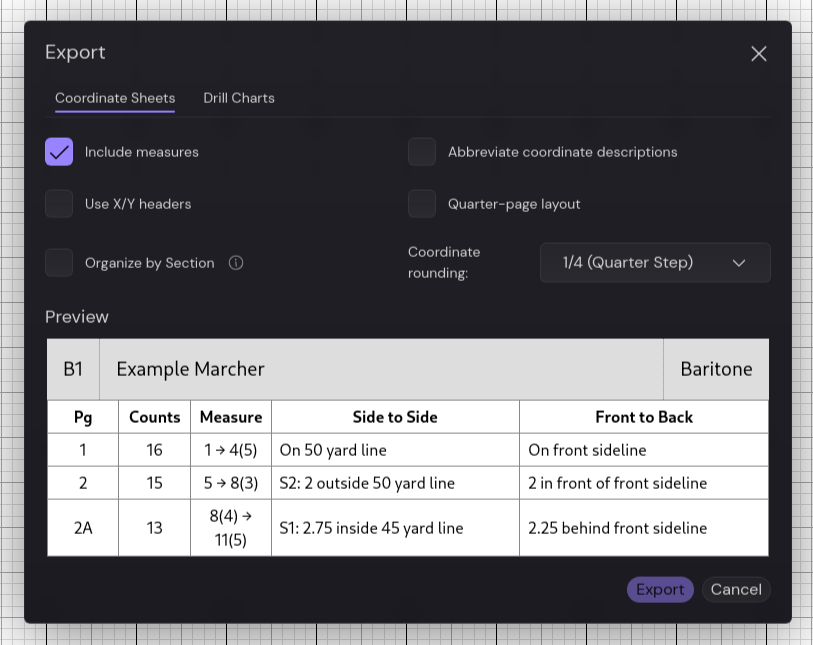
Coordinate Sheets
Section titled “Coordinate Sheets”Generate PDF coordinate sheets for individual marchers or your entire ensemble.
Export Options
Section titled “Export Options”- Include measures - Add measure numbers to each page
- Abbreviate coordinate descriptions - Use short form like “S1: 2 out 45” instead of “Side 1: 2 steps outside 45 yard line”
- Use X/Y headers - Replace “Side to Side” and “Front to Back” with “X” and “Y”
- Quarter-page layout - Fit 4 marchers per page (automatically enables abbreviations)
- Organize by Section - Create separate PDFs for each section, or one large PDF in score order
- Coordinate rounding - Round coordinates to nearest whole, half, quarter, or tenth step
Output
Section titled “Output”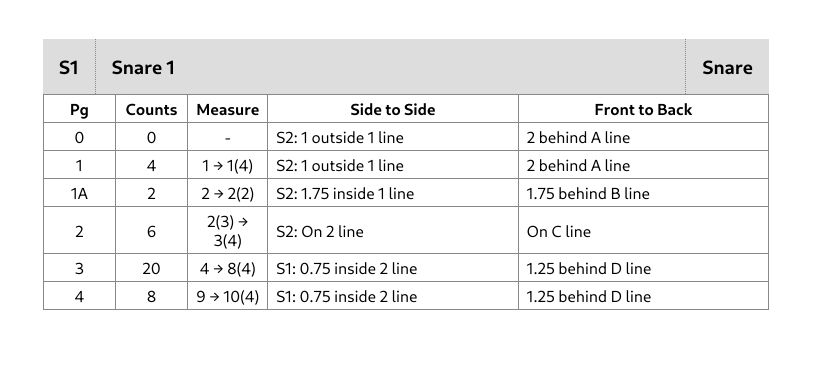
Drill Charts
Section titled “Drill Charts”Export visual drill charts showing marcher positions and movement paths.
Export Options
Section titled “Export Options”- Individual Drill Charts - Create personalized charts for each marcher showing their specific movements, or generate one overview chart for the entire ensemble
Individual Charts
Section titled “Individual Charts”Each marcher gets their own PDF with:
- Their position highlighted on each page
- Previous position marked with a blue square
- Next position marked with a purple circle
- Movement paths drawn between positions
- Readable coordinates listed for reference
Output
Section titled “Output”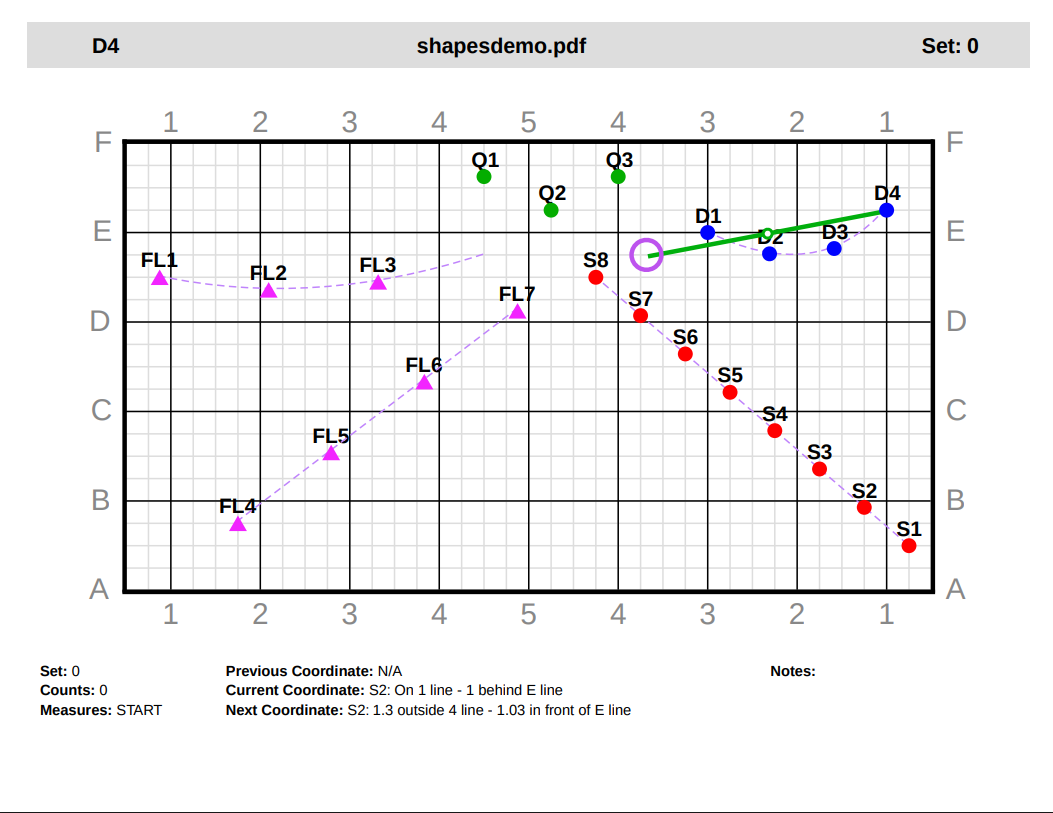
Overview Charts
Section titled “Overview Charts”Single PDF showing all marchers on each page without individual pathways.
Requirements
Section titled “Requirements”Both export types require:
- At least one marcher
- At least one non-default page
Missing requirements will show an error in the preview area, or you won’t be able to export.