

Importing Audio
Add an audio file to your show
OpenMarch supports importing .mp3, .wav, or .ogg audio files.
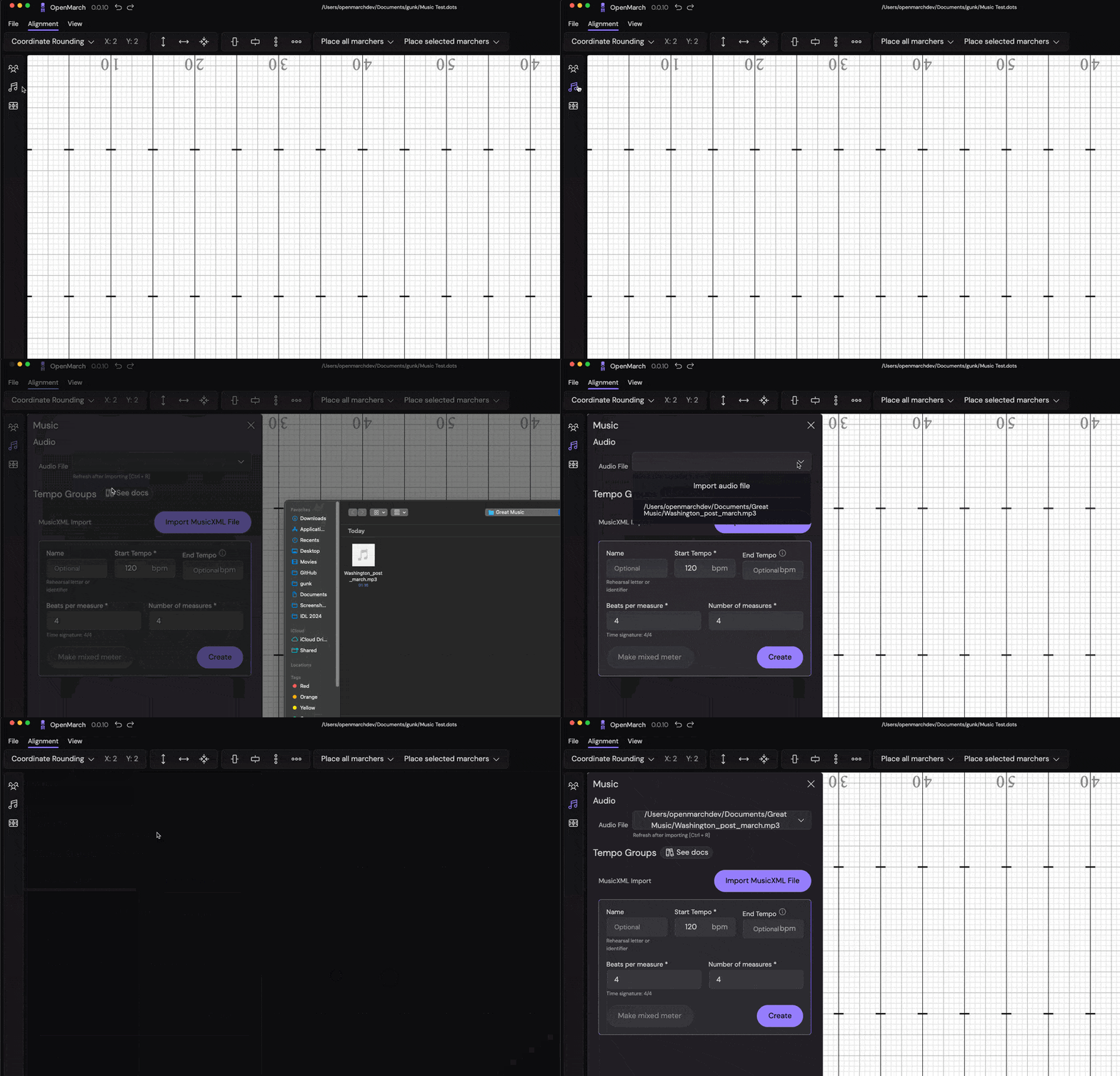
To add an audio file to your show, follow these steps -
- Open the
Musictab - Click the empty dropdown
- Select
Import Audio - From the file popup, select the audio file you want to import
- The page will automatically refresh and you should see the audio file in the
Musictab and a waveform in the timeline!
Apply offsets to your audio file
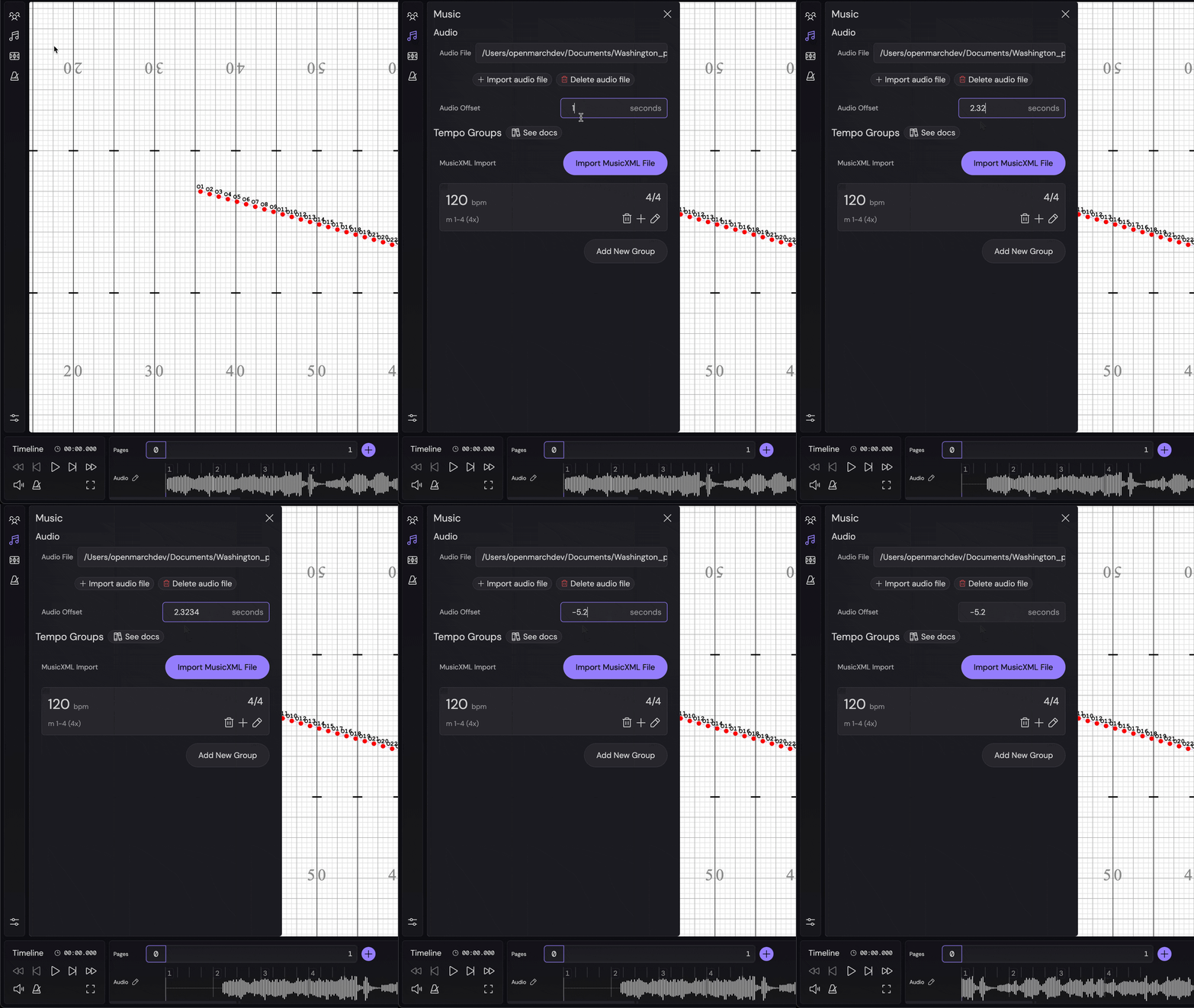
To have precise tempo syncing, you can apply either a positive or negative offset to your audio file. This will pad or trim the audio file respectively.
- Open the
Musictab - Enter your offset (either positive or negative) in the
Audio Offsetinput - Press
Enteror click outside the input to apply the offset - The audio file will be padded or trimmed accordingly
Next step is to set your tempo.